
Download Simple Cursor Maker – cursor maker, create cursor, customize cursor, mouse cursor, image to cursor, custom cursor, free cursor maker, cursor design, desktop customization, cursor tool
Overview
Simple Cursor Maker is a dedicated tool designed for users seeking to personalize their computer’s mouse cursor through image-based customization. The application enables individuals to transform PNG or GIF images into functional, installable cursor files, offering a creative outlet for desktop personalization. It addresses the need for accessible, no-cost tools that empower users to express individuality through subtle yet impactful interface changes.
Ideal for both beginners exploring digital design and experienced users refining their aesthetic, the software serves as a lightweight utility within the productivity and customization space. Although the developer did not provide additional background on their organization or prior projects, the app’s release in November 2024 suggests it is a recent entry focused on user-centric design. Real-world use cases include creating themed cursors for gaming setups, branding custom cursors for creative portfolios, or simply enhancing visual appeal on personal workstations.
In the broader software ecosystem, Simple Cursor Maker fills a niche by offering a streamlined alternative to more complex graphic tools, making cursor creation attainable without requiring advanced technical knowledge.
Key Features & Functionality
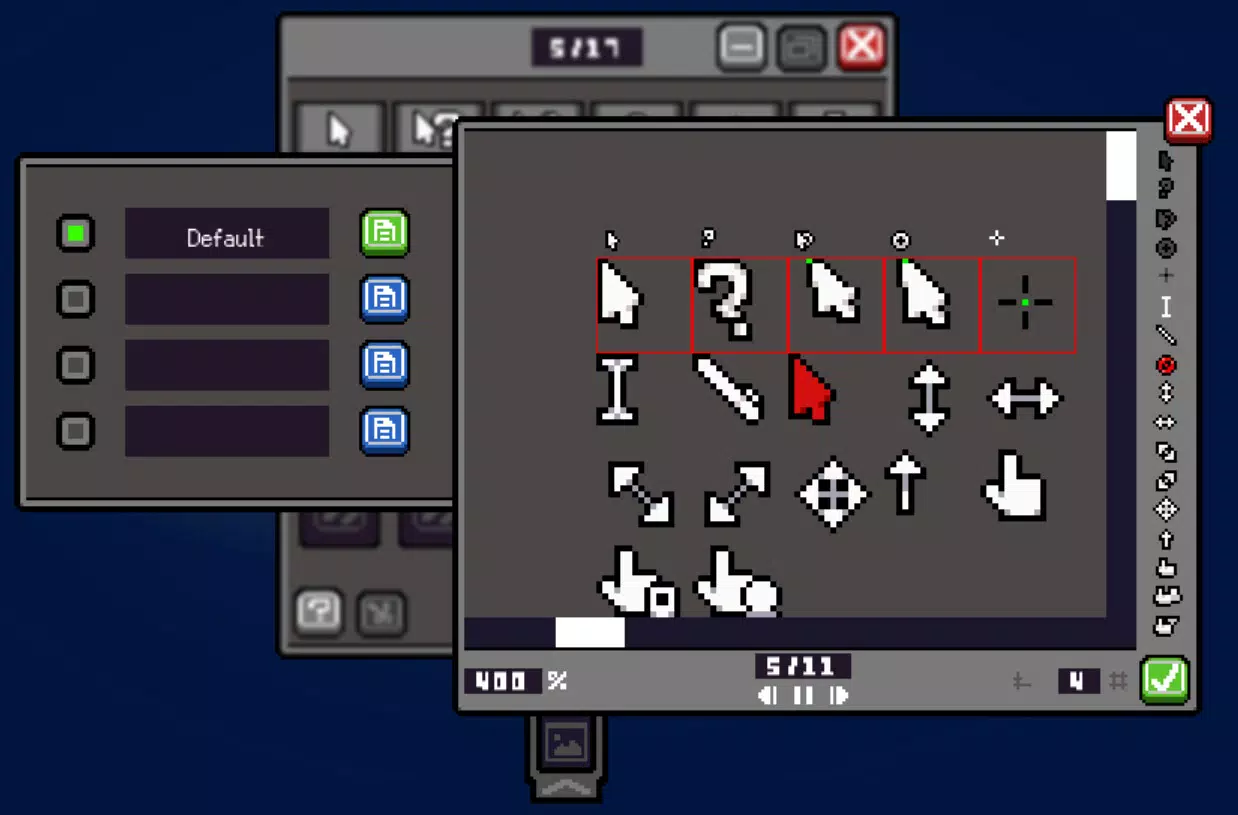
- Image Importing: Supports PNG and GIF formats, allowing users to upload custom graphics for cursor creation. This flexibility enables the use of animated icons, logos, or artwork as functional cursors.
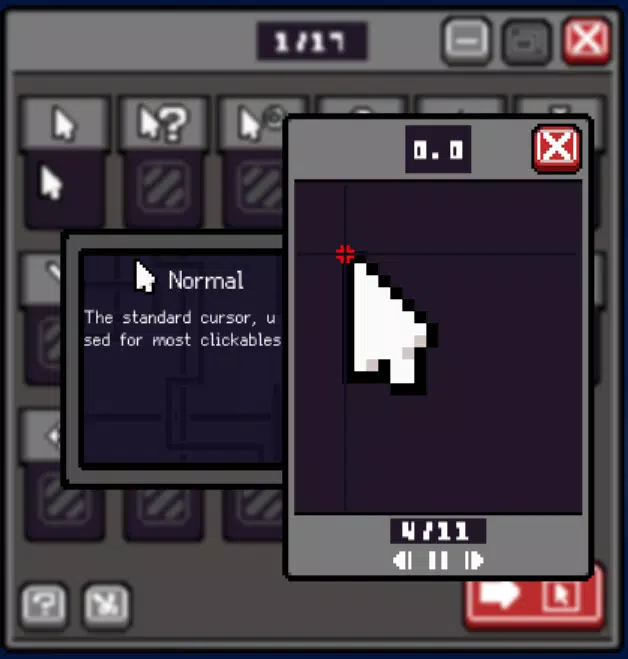
- Built-in Cropping Tool: Offers an integrated interface for trimming and positioning image content within the cursor frame. This ensures precise control over the visible portion of the design.
- Export Options: Provides multiple output formats, including installation packages and compressed files. Users can choose between true color mode and 256-color mode, optimizing for visual fidelity or file efficiency.
- User-Friendly Interface: Features a clean, minimal layout with intuitive navigation. The design prioritizes accessibility, minimizing learning curves for new users.
- Customization Flexlicity: Allows for extensive personalization, enabling users to craft unique cursor designs that reflect personal style, themes, or project-specific branding.
For example, a designer might import a company logo in PNG format, crop it to fit the cursor’s hotspot, and export it in true color mode for a high-resolution display. A hobbyist could use a GIF of a bouncing ball to create an animated cursor for a playful desktop environment. These practical applications demonstrate how the tool bridges creativity and functionality in everyday computing.
Interface, UX & Performance
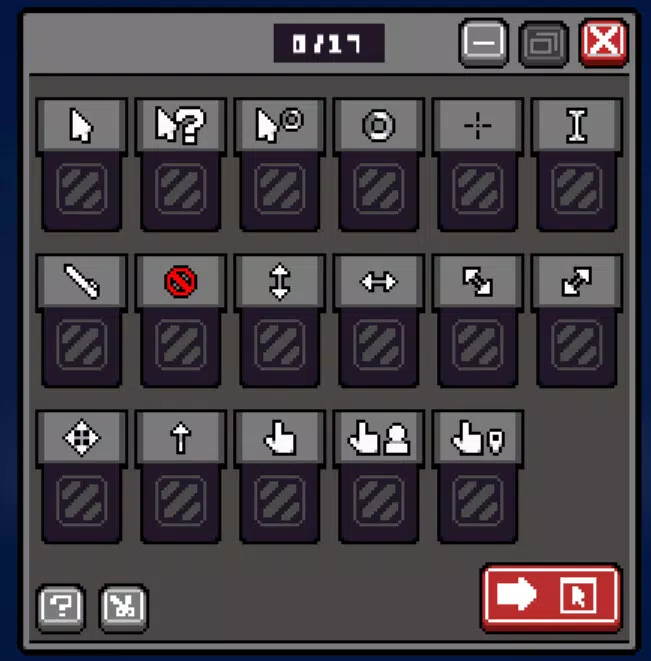
The user interface of Simple Cursor Maker is designed with simplicity in mind, featuring a single-window layout with clearly labeled tools and controls. Visual elements are minimal, focusing on functionality rather than ornamentation, which helps maintain clarity during the cursor creation process. Navigation is linear and predictable: import image → crop → select export settings → generate file.
The application responds promptly to user inputs, suggesting smooth performance even on mid-tier systems. Although the developer did not list formal performance metrics, the lightweight file size of 5.3 MB indicates efficient resource usage. Responsiveness across different screen resolutions appears consistent, though detailed compatibility data was not disclosed.
Stability is implied by the absence of reported issues in the release notes. The app does not display intrusive ads or unnecessary prompts, maintaining a distraction-free workflow. For users managing multiple cursor designs, the lack of a built-in project manager may require external organization, but this does not detract from the core experience.
Overall, the UX aligns with modern expectations for lightweight desktop utilities, offering a seamless experience for its intended purpose.
Platform Compatibility & Technical Requirements
Simple Cursor Maker is available exclusively for the Windows operating system. The current version is 1.0.0, released on November 4, 2024. The application has a file size of 5.3 MB, making it suitable for systems with limited storage capacity.
While the developer did not specify minimum OS requirements, the lightweight nature of the software suggests compatibility with recent Windows versions, including Windows 10 and Windows 11. No additional runtime dependencies or hardware specifications were mentioned. Users are advised to ensure their system meets standard Windows application requirements.
The app does not support other platforms such as macOS, Android, or iOS. For those seeking a mobile solution, this tool is not applicable. Installation is straightforward, with no complex setup procedures reported.
The absence of a web-based version means the software must be downloaded and installed locally.
Pros and Cons
Pros
- Free to download and use with no hidden costs
- Supports popular image formats like PNG and GIF
- Intuitive interface suitable for users of all skill levels
- Offers both true color and 256-color export modes
- Lightweight at only 5.3 MB in size
Cons
- Platform limited to Windows only
- Developer did not provide minimum OS or hardware requirements
- No built-in project saving or management system
- Export options are limited to installation packages and compressed files
- Does not support animated cursors beyond basic GIF import
FAQ
Is Simple Cursor Maker safe to download?
Yes, the application is free and has been released without reported security issues. It is recommended to download only from official sources to ensure integrity.
Can I use animated images as cursors?
Yes, the software supports GIF files, which can be used to create animated cursors. However, functionality may be limited to basic animation playback.
Does the app support macOS or Linux?
No, Simple Cursor Maker is currently available only for Windows. There are no official versions for macOS, Linux, or mobile platforms.
How do I install the cursor after exporting?
After exporting, the generated file can be installed via standard Windows cursor installation methods, such as dragging the file into the Windows Cursors folder or using the Control Panel’s mouse settings.
Are updates available for this app?
Yes, the developer has released version 1.0.0 as of November 4, 2024. Future updates may be issued to improve functionality or compatibility, but no release schedule was disclosed.
Final Thoughts
Simple Cursor Maker delivers a focused, efficient solution for users who want to personalize their desktop experience through custom mouse cursors. Its combination of image import, cropping, and export flexibility makes it a valuable tool for both casual users and creatives. While it lacks advanced features like project saving or multi-platform support, its lightweight design and free access make it highly accessible.
The app stands out in the productivity category by addressing a specific need with minimal friction. For anyone looking to add a personal touch to their Windows environment—whether for fun, branding, or aesthetic enhancement—this tool offers a straightforward path to customization. With no cost and a simple workflow, it represents a smart choice for desktop enthusiasts.
Download Simple Cursor Maker now


